One question, start to finish
Connect once. After that, the questions come to you.
- once · Settings › Agents
Click Connect
Airlock adds its hooks beside yours, and removes only its own if you disconnect.
- while it works · you’re elsewhere
Get on with your day
When Claude Code needs a yes or asks you a question, it comes up in the notch. Several wait their turn, oldest first.
- when it asks
Answer from the notch
Approve with ⌘Y, Deny with ⌘N, or Always to make it a rule. Esc hands it back to the terminal.
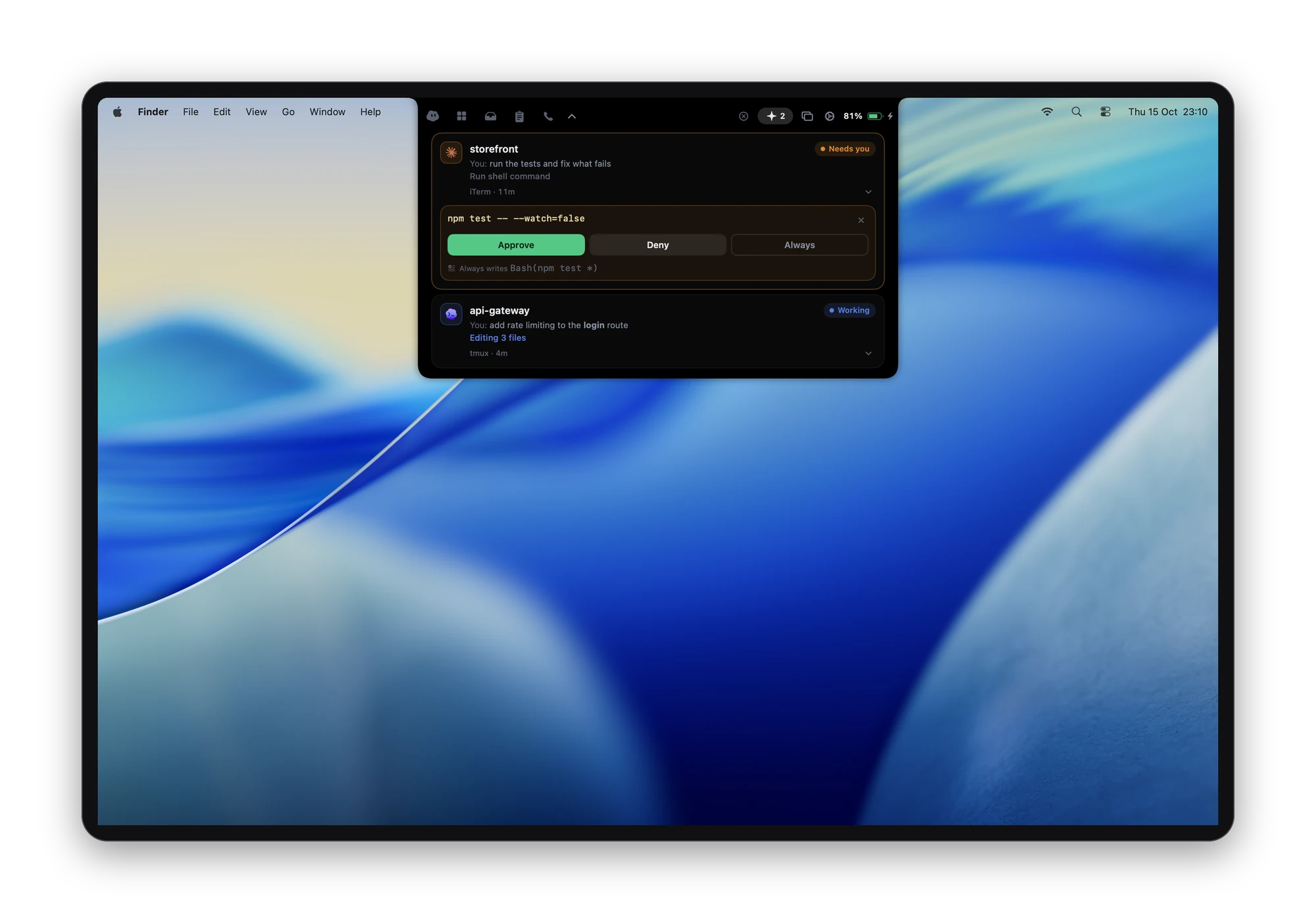
Say yes without leaving what you’re doing
The notch shows the project, what you asked for, and the exact command. One click, or one key, and Claude Code carries on.
Editing a file? You see the new text before you say yes. Asked to choose? Every option is there, with room to answer in your own words.
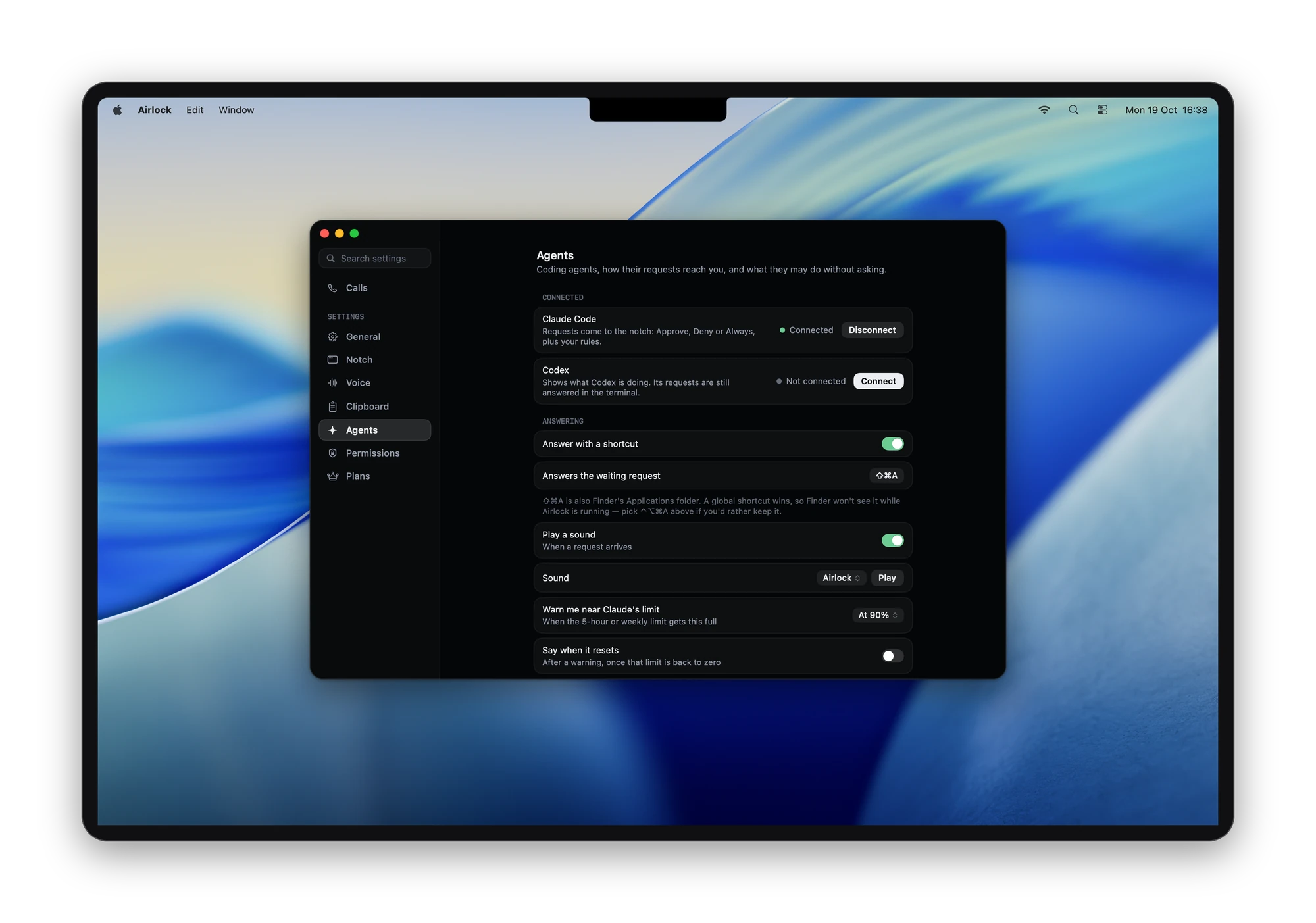
It knows your limits, too
Your 5-hour and weekly usage, with a warning as you get close, and a note when the window starts again.
Codex too: Airlock shows when Codex is working and when it’s your turn. You answer Codex’s requests in its own terminal.
Always makes a rule you can read
Click Always and Airlock writes one plain line in a policy.yaml file. Edit it in Settings or by hand.
In your project, or everywhere
Rules live in your project, or in your home folder for every project.
A * stands for anything
So “npm test *” covers every test run. Never-run rules win over the rest.
The risky ones, every time
Force pushes, sudo and deleting folders ask every time, and Always isn’t offered for them.
Built to stay out of the way
The exact session
Jump to the session in iTerm2 or Terminal, or the exact pane in tmux. Other apps are brought to the front.
⌘⇧A from any app
Reaches the waiting request. ⌘1…⌘9 pick an answer, ⌘Return sends it. Always has no key, on purpose.
If Airlock isn’t running
Your agents carry on and ask in the terminal as usual. Waiting never approves anything.
Your code stays on your Mac
Airlock talks to Claude Code over a local connection on your Mac.
- Stays on your Mac: each request (the command or the file it’s about), your rules in plain policy.yaml files, and the list of recent requests.
- Leaves your Mac: nothing. Your code and your prompts are never sent anywhere.
One agent on Free, every agent on Plus
The safety rules cover every agent, on every plan. All it needs is Claude Code or Codex: nothing to allow on your Mac.
Free
- Answer one coding agent at a time from the notch
- Others ask in their own terminal
Plus
- Answer every agent from the notch
Pro
- The same as Plus: every agent, from the notch
Questions
Does Airlock see my code?
It sees the request itself, such as the command Claude Code wants to run, so it can show it to you. That stays on your Mac: Airlock talks to Claude Code over a local connection, and never sends your code or prompts anywhere.
What if I’m away from my Mac?
A request nobody answers goes back to the terminal after 5 minutes, and Claude Code asks there as usual. Waiting never approves anything.
Which commands always ask?
Deleting folders, sudo, force pushes, hard resets, wiping a disk, piping a download into a shell, dropping a database and production deploys. These can’t be turned into rules.
Does it work with Claude Code’s auto modes?
Yes. In those modes a request shows only when Claude Code itself would ask.
Is Airlock made by Anthropic?
No. Airlock is an independent app that works with Claude Code.
More of the notch
Your next meeting, one click to join.
The notes are written when the call ends.
Hold ⌃, talk, and it’s typed.
Everything you copied, one search away.
Your music, right where you look.
Park a file mid-drag.
How hard it’s working, and who’s to blame.
No sleep while you need it.