One copy, found again
You copy as you always do. Airlock remembers.
- all day · as usual
Copy
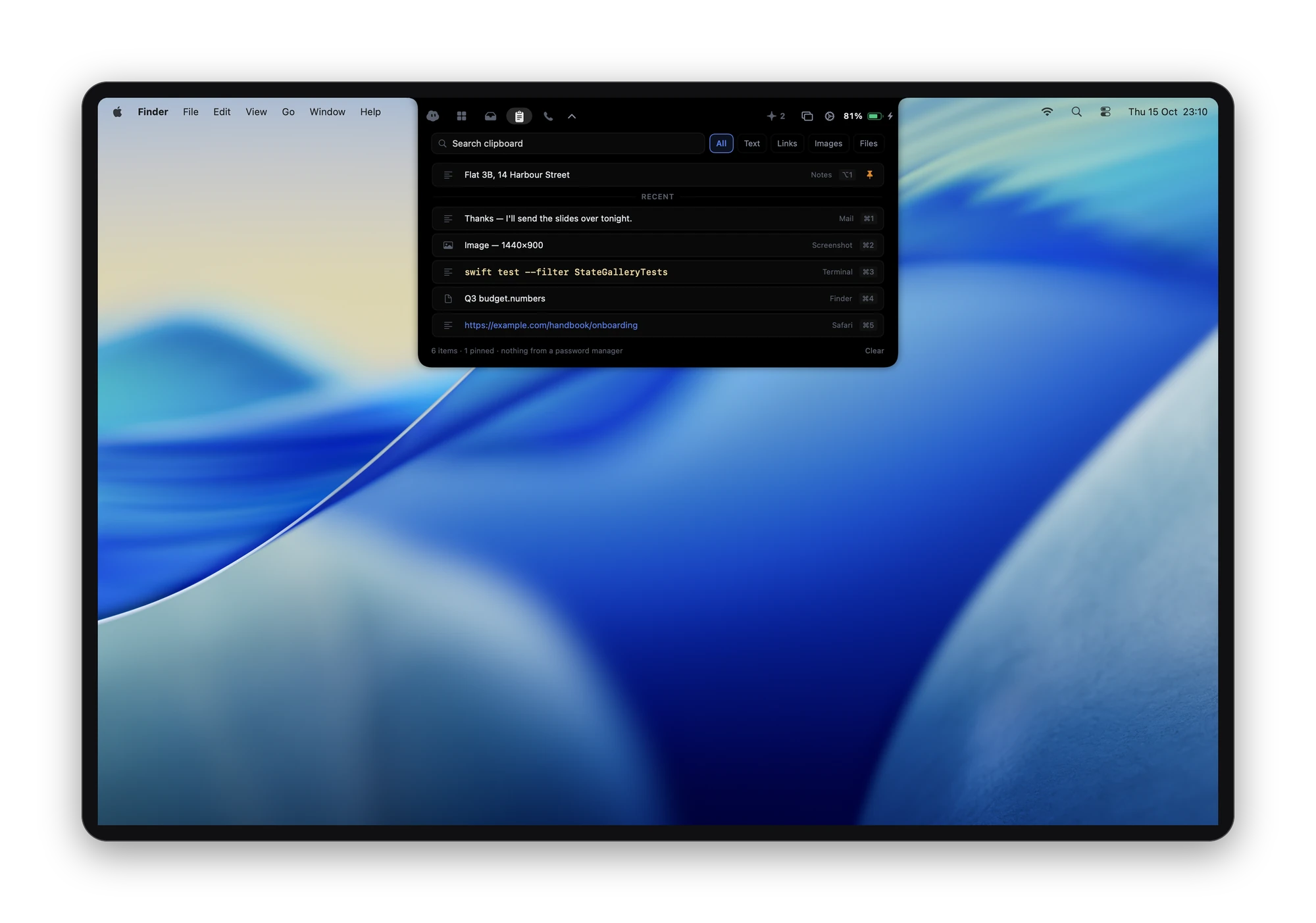
Text, links, images and files are kept newest first, with the app they came from.
- later · you need it back
Press ⌘⇧C
The Clipboard tab opens in the notch. Type to search: capitals and accents don’t matter.
- a second later
Put it back
Click it or press Return, and it’s on your clipboard, ready to paste. ⌘1 to ⌘9 pick the latest nine.
Pin what you keep needing
⌥P pins an item, and ⌥1 to ⌥9 pick your pins. Pins never count toward the limit, and they stay when you clear the rest.
Search matches part of a word, the app, or a file’s path. Filter by text, links, images or files.
Nothing expires
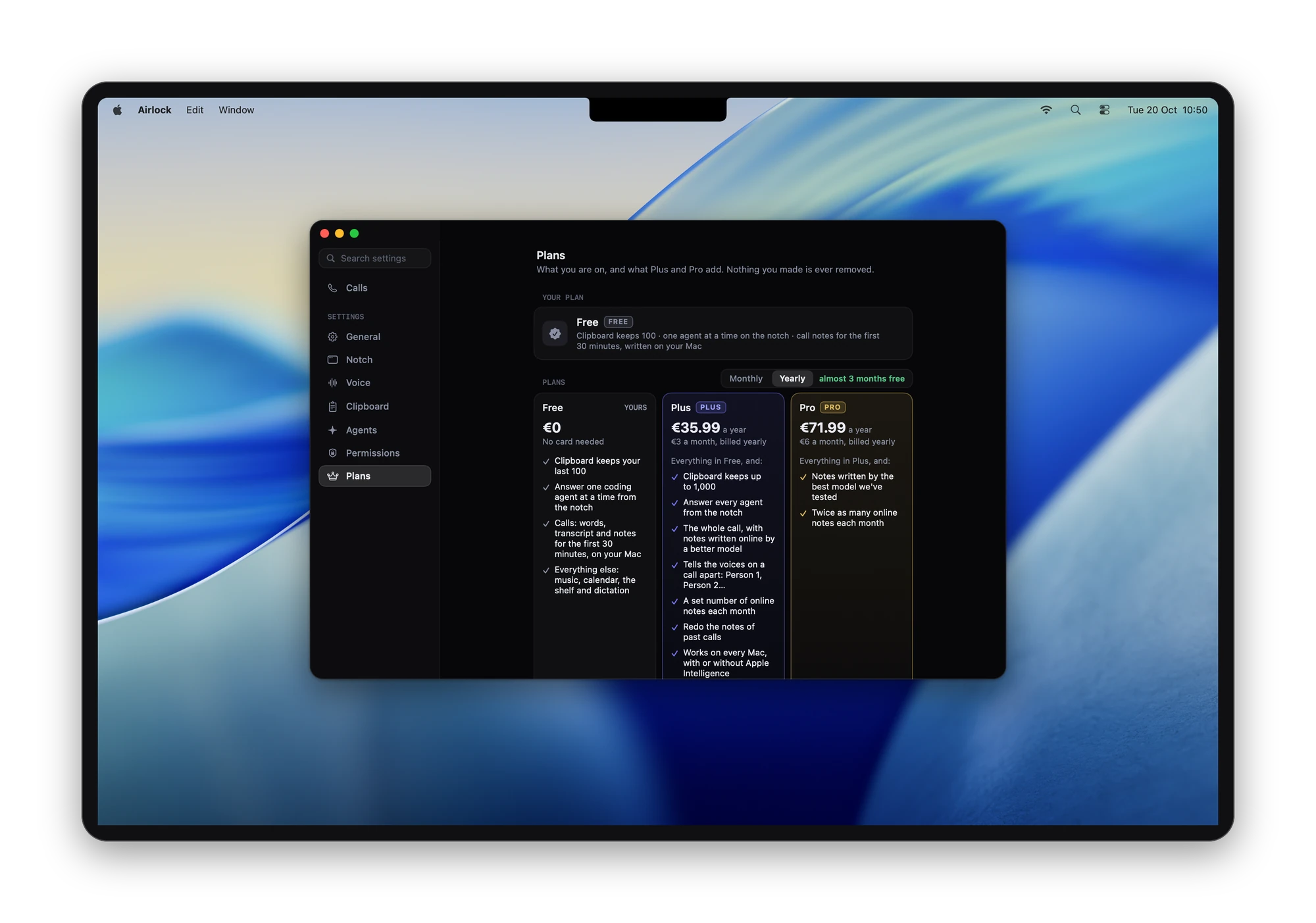
Free keeps the last 100 things you copied, plus everything you pinned. Plus keeps up to 1,000. The oldest copies go only once you pass the number you chose.
Moving from Plus to Free hides older copies for 30 days. Nothing is deleted. Pro is the same as Plus here.
Compare the plans →It keeps the right things
Private copies are never kept
Nor anything from Keychain Access, 1Password, Bitwarden, Dashlane, Enpass or LastPass. Add any other app you want left out.
Images and files
Text up to 256 KB, images up to 16 MB each, and files, kept as links to where they are.
50 to 1,000 things
You choose: 50, 100, 200, 500 or 1,000. Above 100 is Plus.
Straight into your app
Off until you turn it on. Then the item you pick goes straight into the app you were in. This is the only part that needs a permission: Accessibility.
Your clipboard stays on your Mac
It’s kept in a file on this Mac that only your account can read.
- Stays on your Mac: everything you copied (text, links, images and files), your pins, and the list of apps you left out.
- Leaves your Mac: nothing. Your history is never synced or uploaded.
Questions
Does it keep my passwords?
No. Anything an app marks as private is skipped, and so is everything copied from Keychain Access and the common password managers. You can add any app to that list in Settings.
Is my clipboard sent anywhere?
No. It’s stored on your Mac, readable only by your account, and never synced or uploaded.
Can I clear it?
Yes. Delete one item with ⌥⌫, or clear everything that isn’t pinned.
Does it keep the formatting?
Text is kept as plain text, so it pastes cleanly anywhere. Images are kept as images, and files as links to where they are.
Is it still there after a restart?
Yes. Text, images and links to files are all still there after you restart your Mac.
More of the notch
Your next meeting, one click to join.
The notes are written when the call ends.
Hold ⌃, talk, and it’s typed.
Claude Code’s questions, answered from the notch.
Your music, right where you look.
Park a file mid-drag.
How hard it’s working, and who’s to blame.
No sleep while you need it.