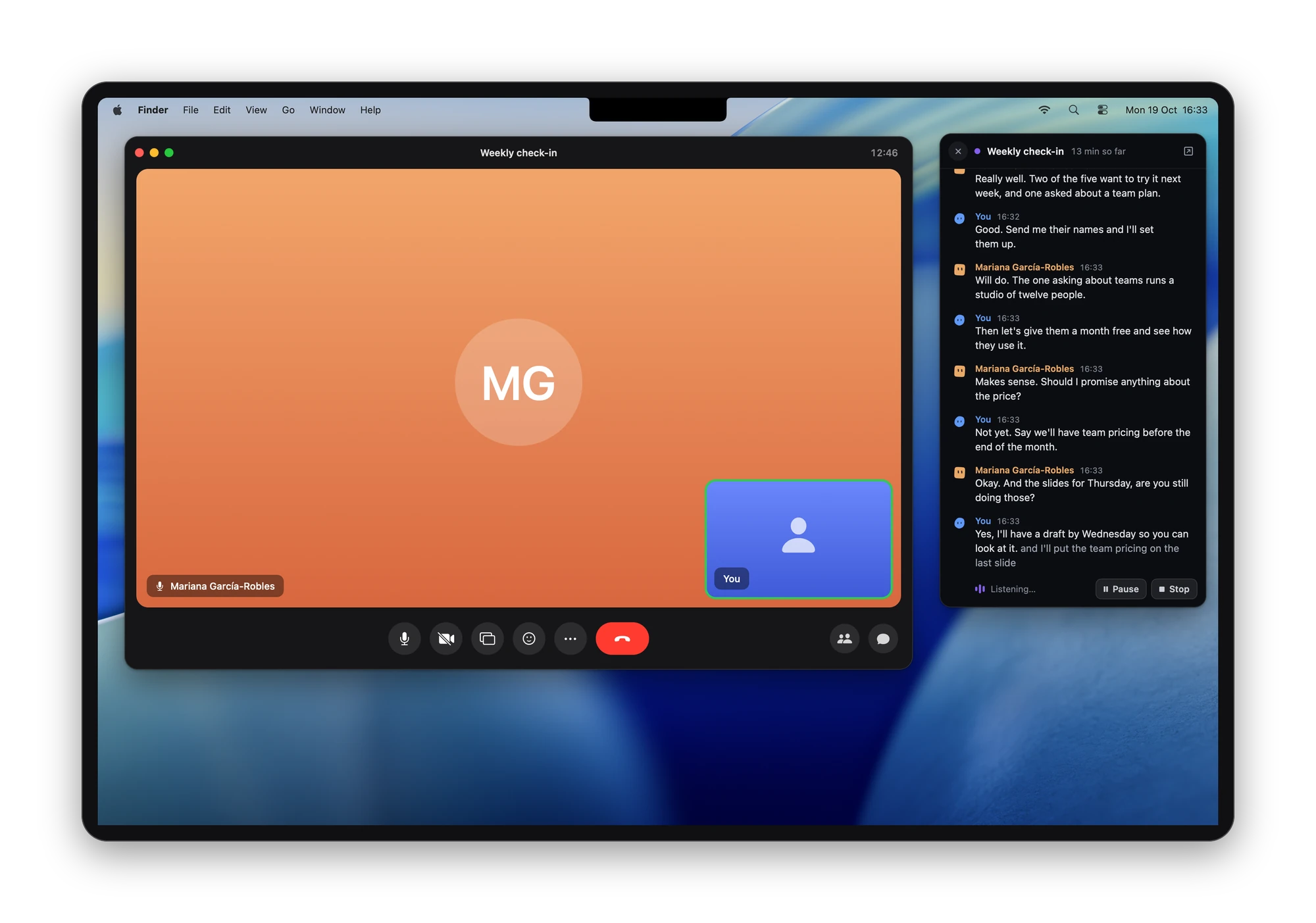
One call, start to finish
You don’t press record. The notch asks, and you say yes.
- 0:00 · the call starts
The notch asks
When an app uses your mic and plays sound at once. Not now means nothing is written.
- 0:08 · someone talks
Words appear
As they’re said, in a small window beside the call. Jot a line, mark a moment, or pause.
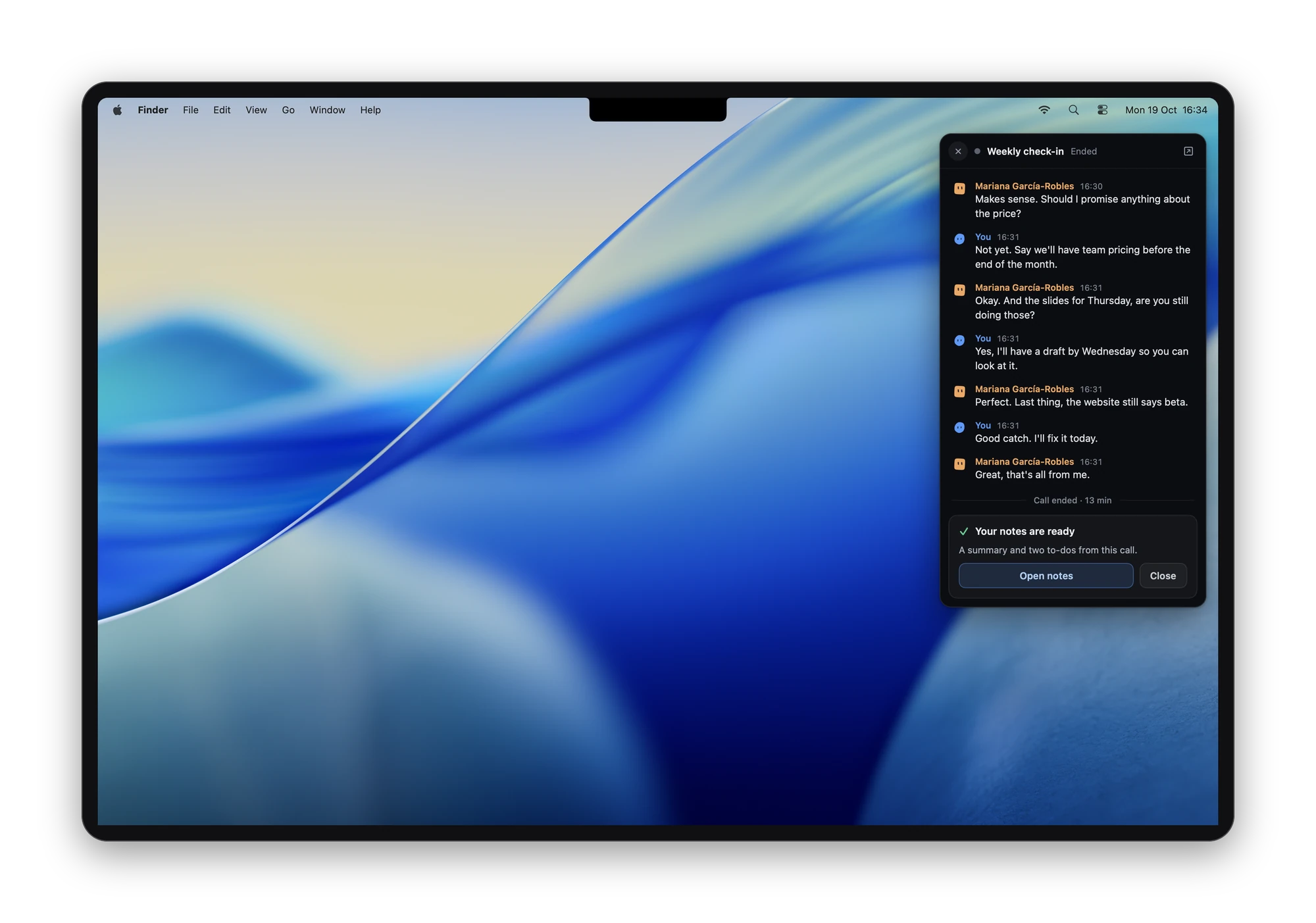
- 32:00 · you hang up
Notes are ready
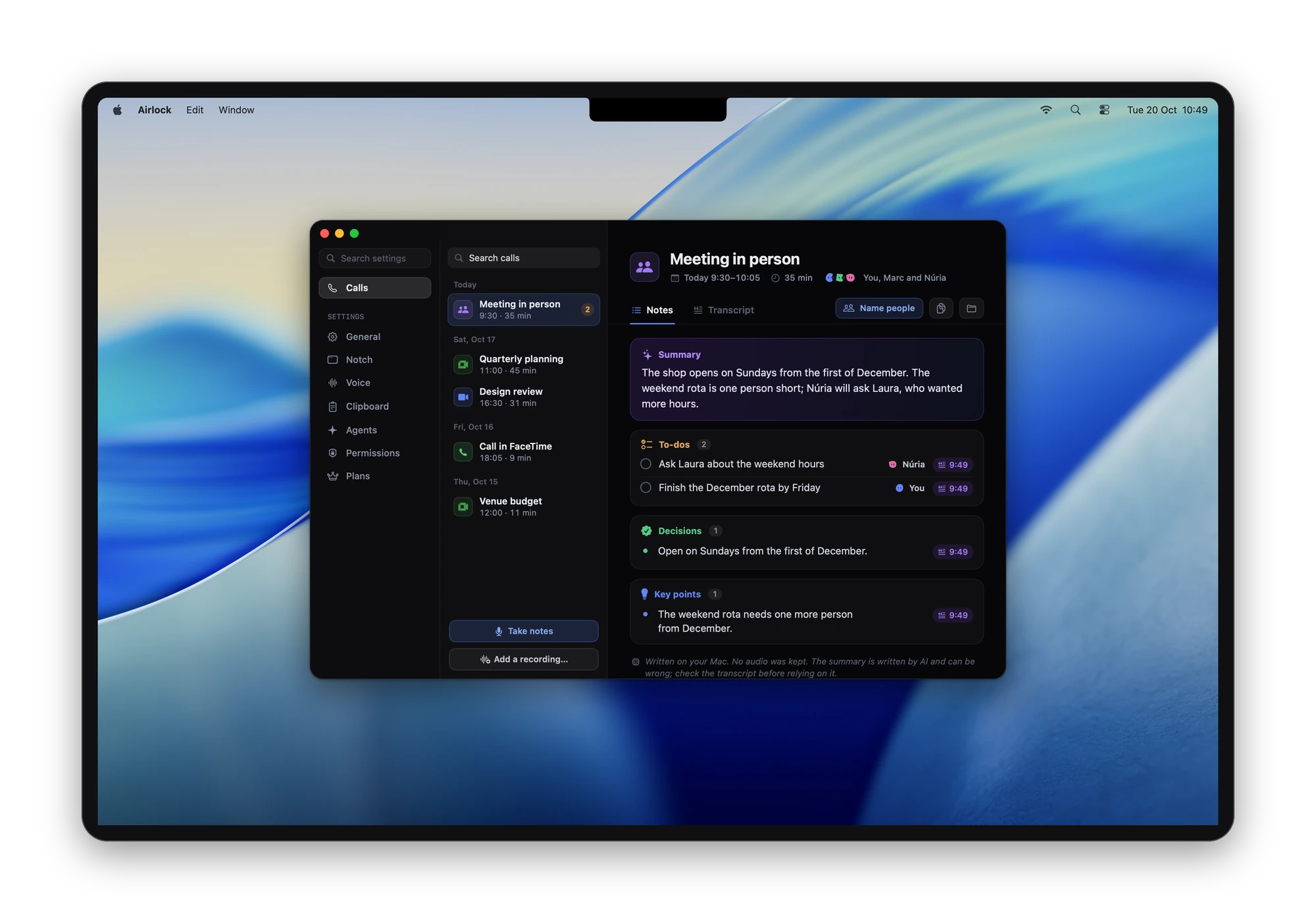
A summary, to-dos, decisions, open questions and key points, with the whole transcript.
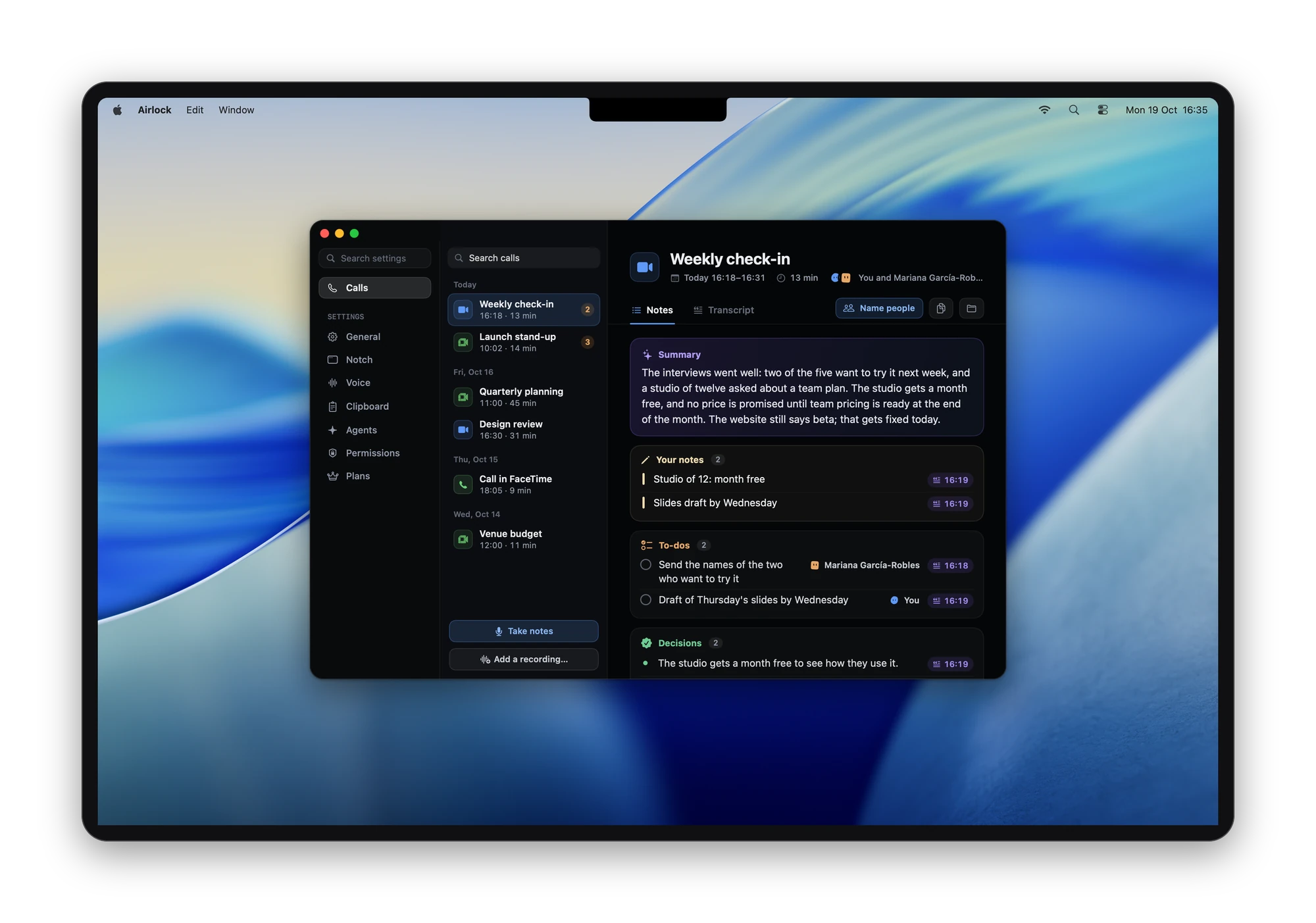
Every to-do knows who said it
Each to-do links back to the moment it was said. Mariana said she’d send the names, so it’s Mariana’s. If nobody took it on, it has no name.
Notes also have a summary, decisions and open questions, saved as plain files on your Mac.
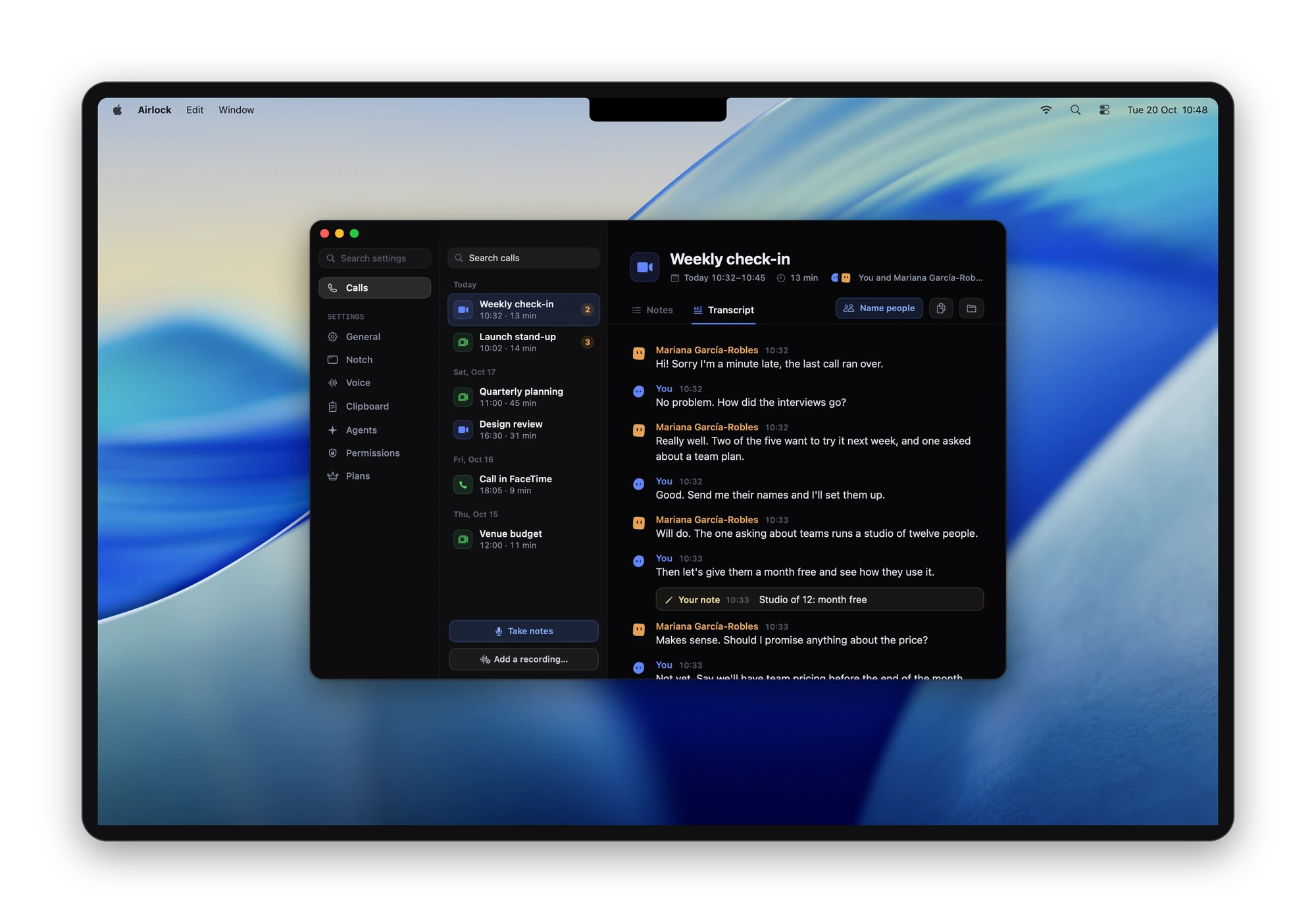
Find what was said, word for word
The whole call, line by line, with the time of each and the notes you typed. Search every call with ⌘F.
On Plus and Pro it tells the voices apart: Person 1, Person 2… worked out on your Mac. You name them after.
In the room, too
No call needed. Press Take notes and your Mac hears the room. Got a recording? Drop it in the Calls tab (.m4a, .mp3 or .mov): 40 minutes takes about 7.
Works with the calls you already have
Zoom, Meet, Teams
The notch asks as the call starts.
WhatsApp, Discord
And anything that uses the mic and plays sound at the same time.
A line, ready to paste
For the first minute, the notch shows a Copy button: “Heads up: I’m taking notes of this call. No recording is kept.”
Good to know
It starts out like this. Everything is in Settings › Voice.
Mic, system audio, speech
The microphone, system audio and speech recognition. Calendar and Accessibility are optional.
No key to start
The notch asks. Return saves a line you jotted, Esc closes the live window, and ⌘F searches your calls.
Words to know
A list of names and words your meetings use, spelled your way.
The sound is never kept
Your Mac turns speech into words as the call goes. The sound itself is never saved or sent.
- On your Mac: the words as they’re said, and the transcripts and notes, as plain files in the Airlock folder.
- Voices: told apart on your Mac on Plus and Pro. No voice is remembered after the call.
- Leaves your Mac: only on Plus and Pro, for a call you said yes to or a recording you dropped in: the transcript and the lines you typed, so the notes can be written online. Nobody keeps them. Turn it off and your Mac writes them.
Free covers the first 30 minutes
Every call. Plus and Pro cover the whole call, with better notes.
Free
- First 30 minutes of every call
- Notes written on your Mac by Apple Intelligence
- Without it, the words and the transcript
Plus
- The whole call
- Notes written online by a better model
- Tells the voices apart
Pro
- Everything in Plus
- The best model we’ve tested
- Twice the online notes each month
Questions
Do the other people know?
Only if you tell them, and we think you should. Airlock doesn’t join the call or message anyone, so it keeps a sentence ready to copy into the chat.
Does Airlock keep the audio?
No. Your Mac turns speech into words as the call goes, and the sound is never saved or sent anywhere. What’s kept is the transcript and the notes, on your Mac.
Does it know who said what?
Your words are marked as yours. On Plus and Pro, Airlock also tells the other voices apart by sound: Person 1, Person 2… and you can name them after. It never names anyone by itself. On Free, everyone on the other side is “Them”.
Do I need Apple Intelligence?
Not on Plus or Pro: their notes are written online, so they work on every Mac. On Free, notes are written by Apple Intelligence on your Mac. Without it, Free still gives you the words and the transcript for the first 30 minutes of each call.
Where are my notes saved?
In the Meetings folder inside the Airlock folder in your home folder: one folder per call, with the notes and the transcript as plain text files you can open in any app.
More of the notch
Your next meeting, one click to join.
Hold ⌃, talk, and it’s typed.
Claude Code’s questions, answered from the notch.
Everything you copied, one search away.
Your music, right where you look.
Park a file mid-drag.
How hard it’s working, and who’s to blame.
No sleep while you need it.