One file, from here to there
A place to put things down for a minute.
- you pick it up
Drag to the notch
Drag a file or folder up and let go. Pictures from web pages are saved as files too.
- you look for where it goes
Carry on
It waits on the Shelf tab with its name, kind and size. Add more as you go.
- you’ve found it
Drag it out
Into a folder, an email or a chat. It leaves the shelf only once the other app has taken it. Or drop it on AirDrop, Downloads or the Trash.
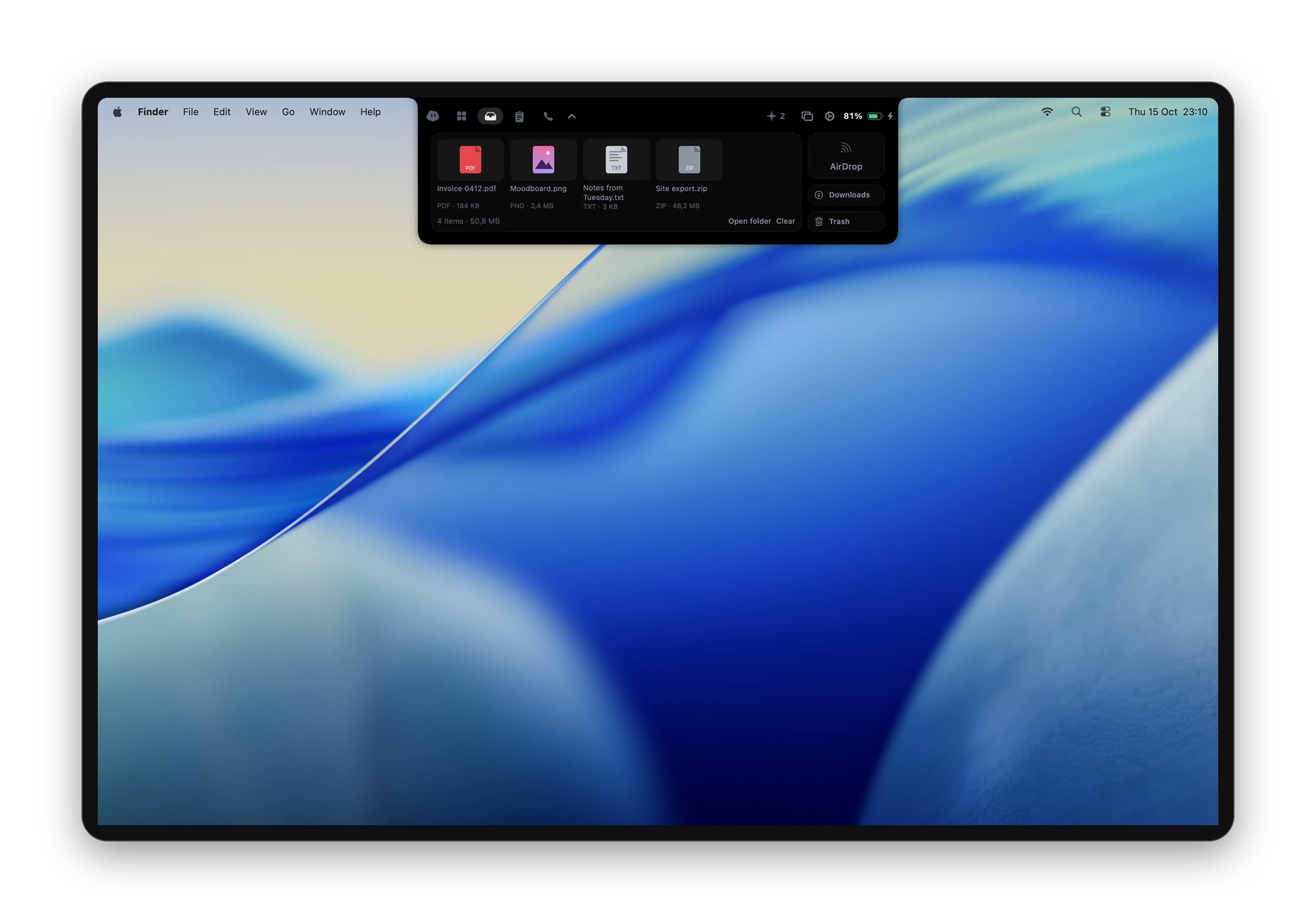
Send it, keep a copy, or tidy up
Drop a file on AirDrop to send it. Hold ⌥ as you drop to copy instead of move. Remove sends it to the Trash.
Shelf files live in a plain folder, tray, inside the Airlock folder in your home folder. Put a file there and it shows on the shelf.
The details
Moves, unless you hold ⌥
Dropping on the notch moves the file; hold ⌥ to copy it instead. Dropping on the open panel makes a copy.
From Finder in one click
Brings what’s selected in Finder onto the shelf, as a copy.
Remove means Trash
Remove and Clear move files to the Trash. Nothing is deleted for good.
Downloads stays safe
Moving a file to Downloads gives it a new name if one with the same name is already there.
Text goes elsewhere
Text and links are turned away with a short note. That’s what the clipboard is for.
For more
Open a file, show it in Finder, AirDrop it or remove it.
A small tray and a count
While the closed notch is showing something else, they say files are waiting. Files alone never bring it out.
Every plan, Free included
All of Drop shelf is in Free, with no card and no account.
Nothing, to drop files
Add selection asks to control Finder, and moving to Downloads asks for that folder.
The shelf is just a folder on your Mac
Airlock doesn’t upload, sync or look inside your files.
- Stays on your Mac: every file on the shelf, in the Airlock folder in your home folder, and pictures you dragged from web pages, saved as files.
- Leaves your Mac: nothing by itself. A file leaves only when you AirDrop it or drop it into an app that sends it.
Questions
Are my files uploaded anywhere?
No. They stay in a folder on your Mac.
Does the shelf empty itself?
No. Files stay until you remove them or clear the shelf, and both send them to the Trash.
What happens when I drag a file out?
If the other app takes it, it leaves the shelf. If the app only makes a copy or reads where the file is, it stays on the shelf too.
Is there a limit to how much it holds?
No set limit. Shelf files take up space on your Mac like any other files.
Can I drop text or a link?
No, the shelf is for files. Text and links are what the clipboard history is for.
More of the notch
Your next meeting, one click to join.
The notes are written when the call ends.
Hold ⌃, talk, and it’s typed.
Claude Code’s questions, answered from the notch.
Everything you copied, one search away.
Your music, right where you look.
How hard it’s working, and who’s to blame.
No sleep while you need it.