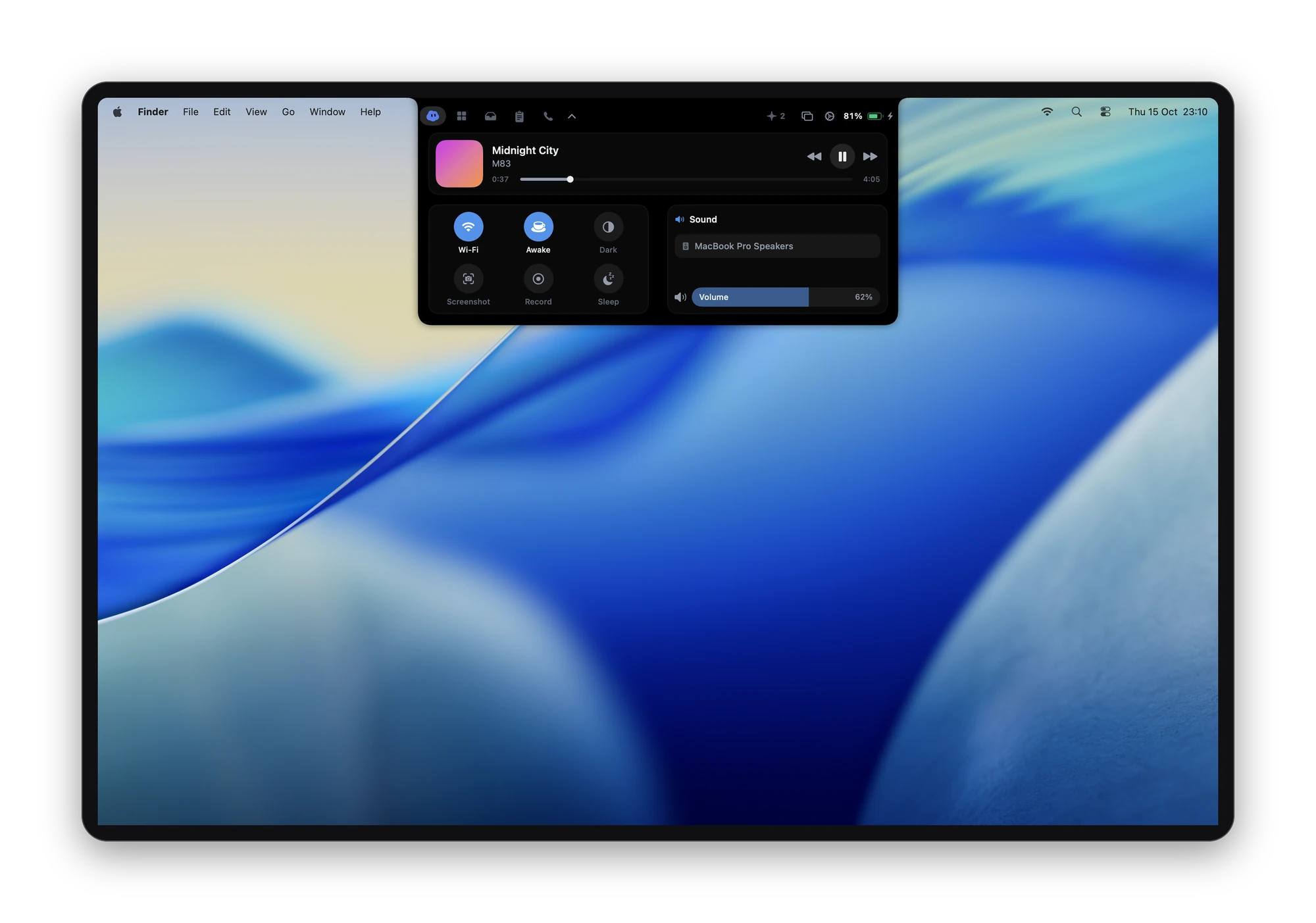
Awake for as long as you say
Then your Mac can sleep again, without you remembering anything.
- one click
Click the cup
It sits with the system controls on the Home tab. One click keeps your Mac awake until you click it again.
- or, for a while
Pick a time
Its menu offers 30 minutes, 1, 2 or 4 hours, until a time you choose, or until you turn it off.
- time’s up
Let it end
Your Mac can sleep again and the panel says so. Until then, a small cup in the closed notch means it’s on.
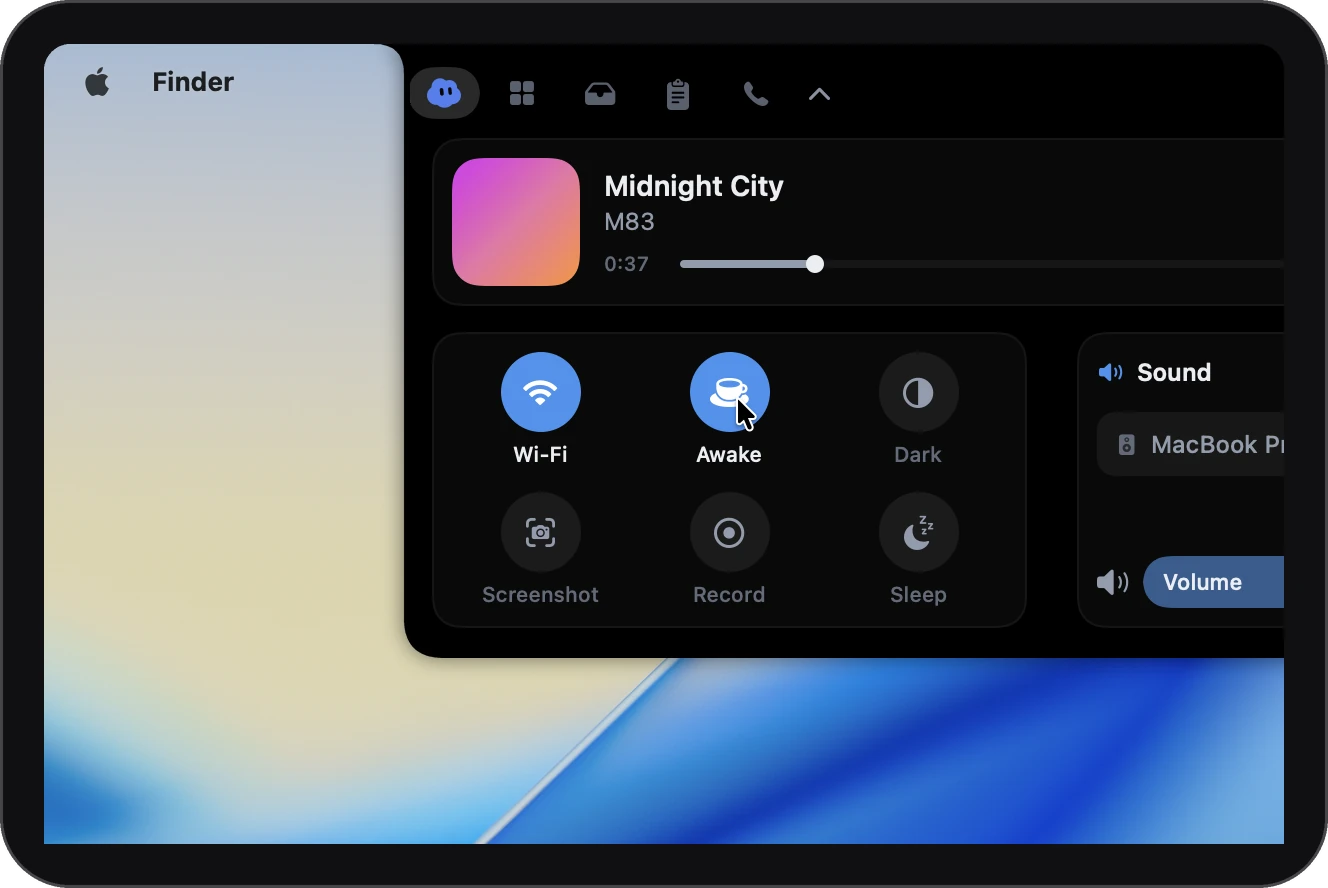
The cup, next to Wi-Fi
Keep awake lives with the system controls on the Home tab. Click it and your Mac stays awake. Click it again and it can sleep.
The display stays on too, unless you choose “Let the screen turn off” to keep only the Mac working.
Pick how long. It ends by itself.
Its menu has six choices. Once it’s on, the panel shows the time left, and +30 min adds half an hour.
30 minutes
The shortest choice on the menu.
1, 2 or 4 hours
Pick one and forget it. The panel says when it’s over.
Until…
Until a time you choose.
Until I turn it off
Stays on until you click the cup again.
Awake while your agent works
On by default: it also stays awake while Claude Code or Codex is working, and for two minutes after.
Only real work counts
It doesn’t keep your Mac awake while an agent is waiting for your answer.
Only on power
For agents, it stays awake only while plugged in, unless you turn on “Also on battery”.
Turn it off
It’s one switch in Settings › Notch: While an agent is working.
The details
It starts out like this. Everything is in Settings › Notch.
Stop on battery
Never, to start with. Or it turns off below a battery level you choose, and the closed notch shows the cup with “off” for a moment.
Let the screen turn off
Keep the Mac working with the screen dark.
⌃⌥⌘W shortcut
Switch it on to turn Keep awake on and off from any app.
Closing it still sleeps
Keep awake doesn’t fight the lid.
Every plan, Free included
All of Keep awake is in Free, with no card and no account.
Nothing
No permissions to give.
Questions
Will it drain my battery?
Only if you let it. Choose a battery level at which it turns itself off, and agent work keeps the Mac awake only while it’s plugged in unless you say otherwise.
Does closing the lid still put my Mac to sleep?
Yes. Keep awake doesn’t fight the lid.
Do I have to remember to turn it off?
No. Pick a time and it ends by itself.
Does it keep my Mac awake for every agent?
For Claude Code and Codex while they’re working, and for two minutes after. Not while one is waiting for your answer, and only while plugged in unless you turn on “Also on battery”.
More of the notch
Your next meeting, one click to join.
The notes are written when the call ends.
Hold ⌃, talk, and it’s typed.
Claude Code’s questions, answered from the notch.
Everything you copied, one search away.
Your music, right where you look.
Park a file mid-drag.
How hard it’s working, and who’s to blame.