One meeting, start to finish
You don’t open your calendar or hunt for the link. The notch keeps the time for you.
- once · when you turn it on
Allow Calendar
Airlock shows the calendars your Mac already has, including accounts you added to Calendar.
- 10:20 · ten minutes to go
Look up
The closed notch counts down in amber: 8m, then now. It never opens by itself.
- 10:30 · time to go
Click Join
It finds the Zoom, Meet or Teams link in the invite. Zoom and Teams open in their own app if you have it.
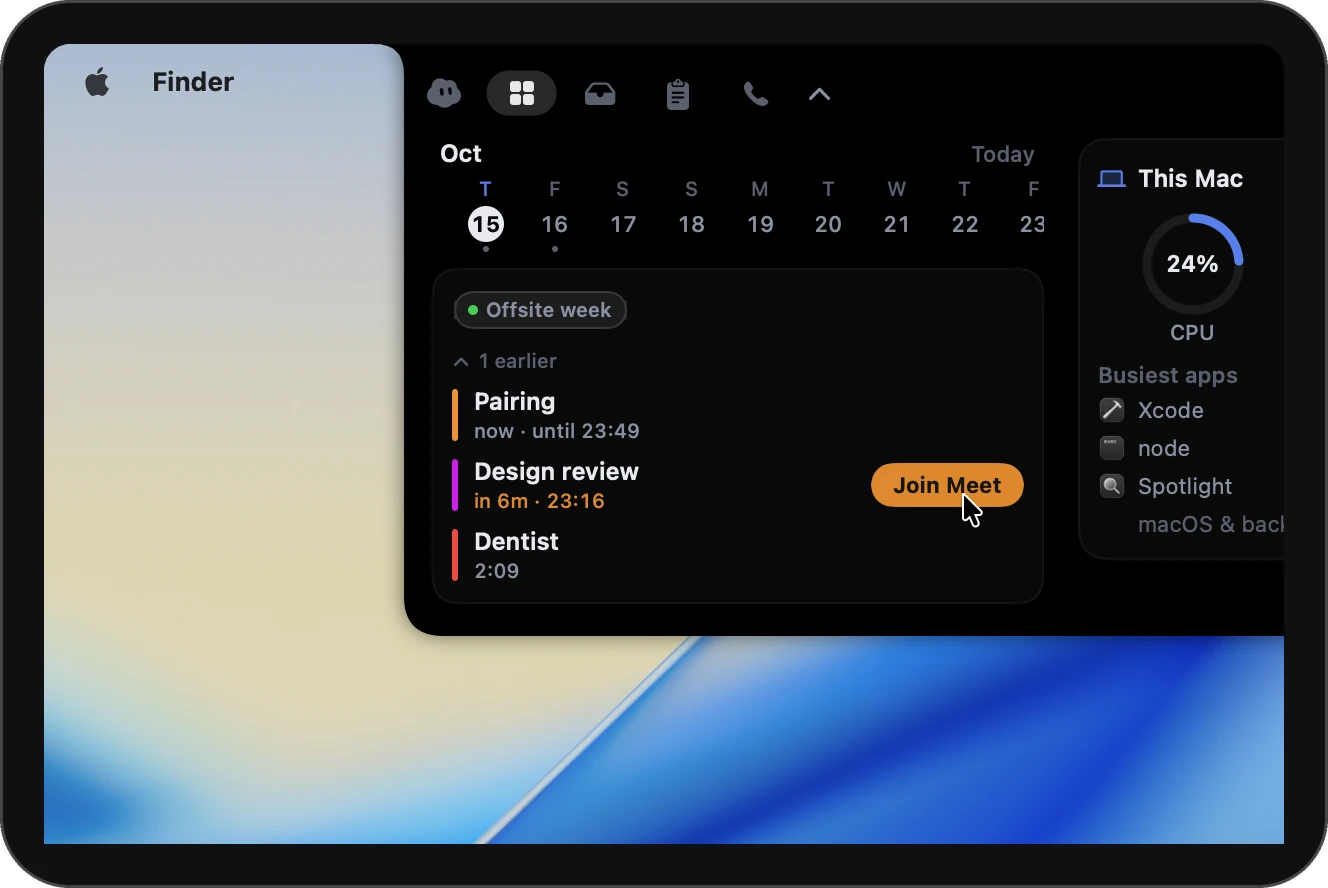
No hunting for the link
Join finds the link in the event’s address, location or notes, and opens the meeting as if you’d clicked it.
Zoom, Google Meet, Microsoft Teams, Webex, Whereby, Around, Jitsi Meet, BlueJeans, Discord and other meeting rooms.
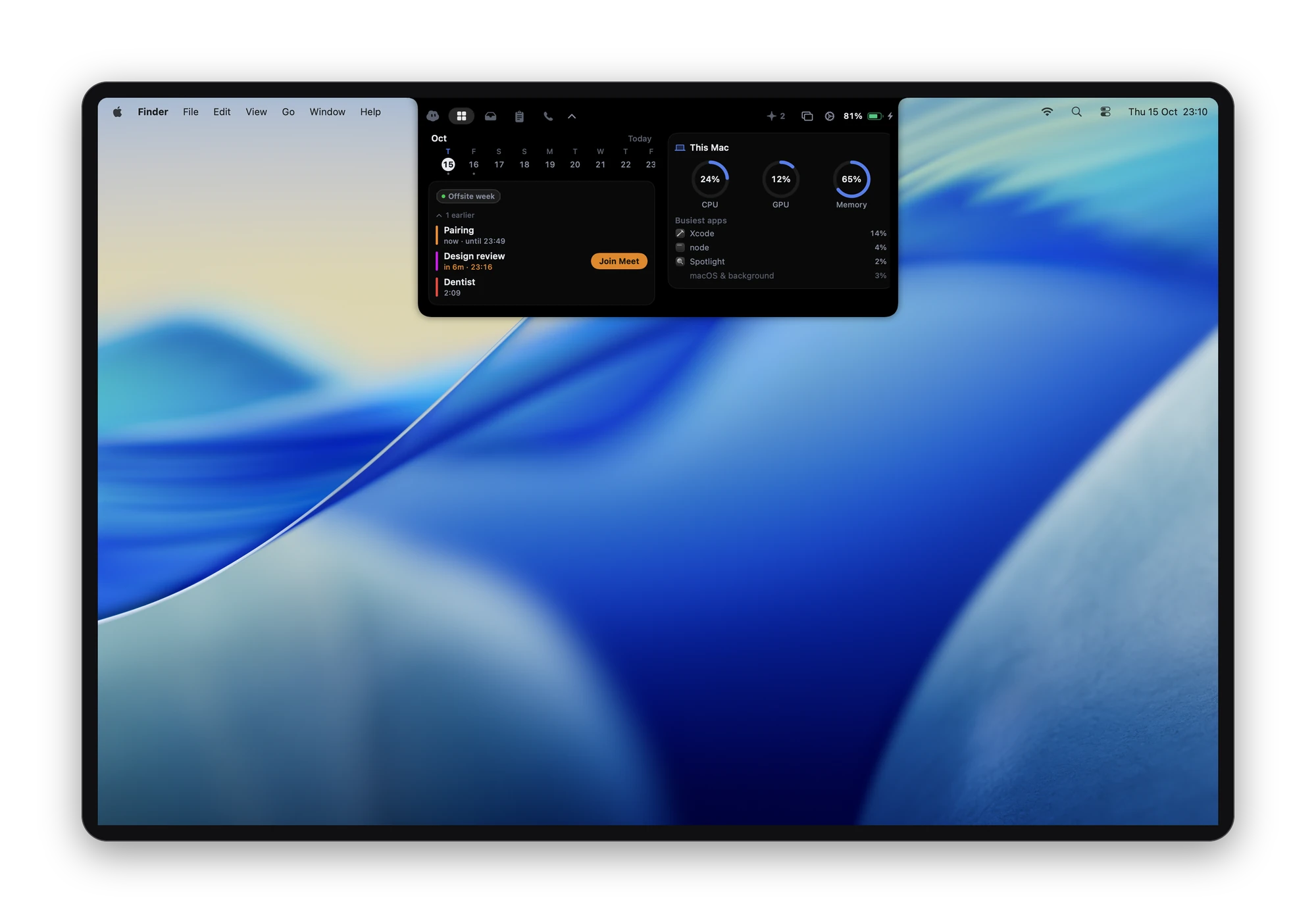
Six weeks ahead, at a glance
A strip of days runs from last week to six weeks ahead. Pick a day to see its meetings. All-day events sit on top as small chips.
It doesn’t jump at you: the countdown stays in the closed notch, and the panel opens only when you point at the notch or click it.
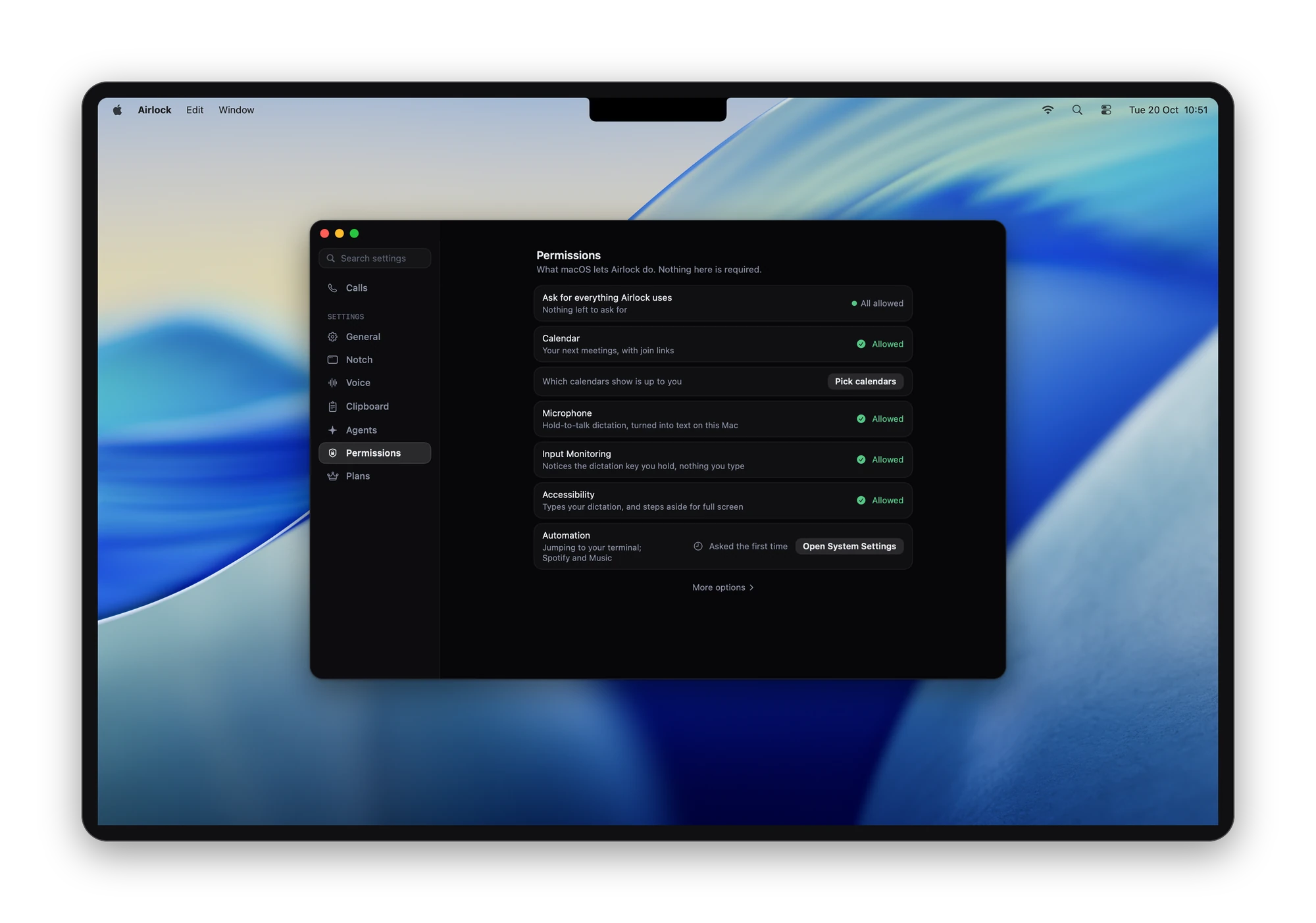
Only the calendars you want
Choose which ones show in Settings. Until you pick, Airlock shows them all, including any you add later.
It asks for one thing: Calendar access, when you turn it on.
The small print, in plain words
It never changes a thing
Airlock never creates, changes or deletes events. Click one to open it in Calendar.
Work and Google calendars too
If the Calendar app on your Mac shows it, Airlock does too.
Point at the notch
Or click it, and your meetings are on the Dashboard tab.
Your calendar stays on your Mac
Airlock only reads the calendars on your Mac, and only with your permission.
- Stays on your Mac: your events, their times and their meeting links, and which calendars you chose to show.
- Leaves your Mac: nothing. Join opens the meeting in its app or your browser, as if you’d clicked the link.
All of Today is in Free
No card and no account. Plus and Pro are for longer calls, better notes and more agents.
Compare the plans →Questions
Does it work with my work or Google calendar?
If the Calendar app on your Mac shows it, Airlock does too. Add the account in Calendar’s settings and its meetings appear in the notch.
Can I add or change events?
No. Airlock only reads your calendar. Click an event to open it in Calendar.
Do all-day events show?
Yes, as small chips above the timed meetings, marked All day.
More of the notch
The notes are written when the call ends.
Hold ⌃, talk, and it’s typed.
Claude Code’s questions, answered from the notch.
Everything you copied, one search away.
Your music, right where you look.
Park a file mid-drag.
How hard it’s working, and who’s to blame.
No sleep while you need it.