One song, start to finish
No keys to learn. Point at the notch and press next.
- you press play
Play something
Start a song in Spotify or Apple Music. The closed notch shows small moving bars while it plays.
- you look up
Open the notch
Artwork, title and artist, with previous, play or pause, next and a timeline to drag.
- headphones on
Set the sound
Move the volume, mute, or pick where sound plays: headphones or speakers.
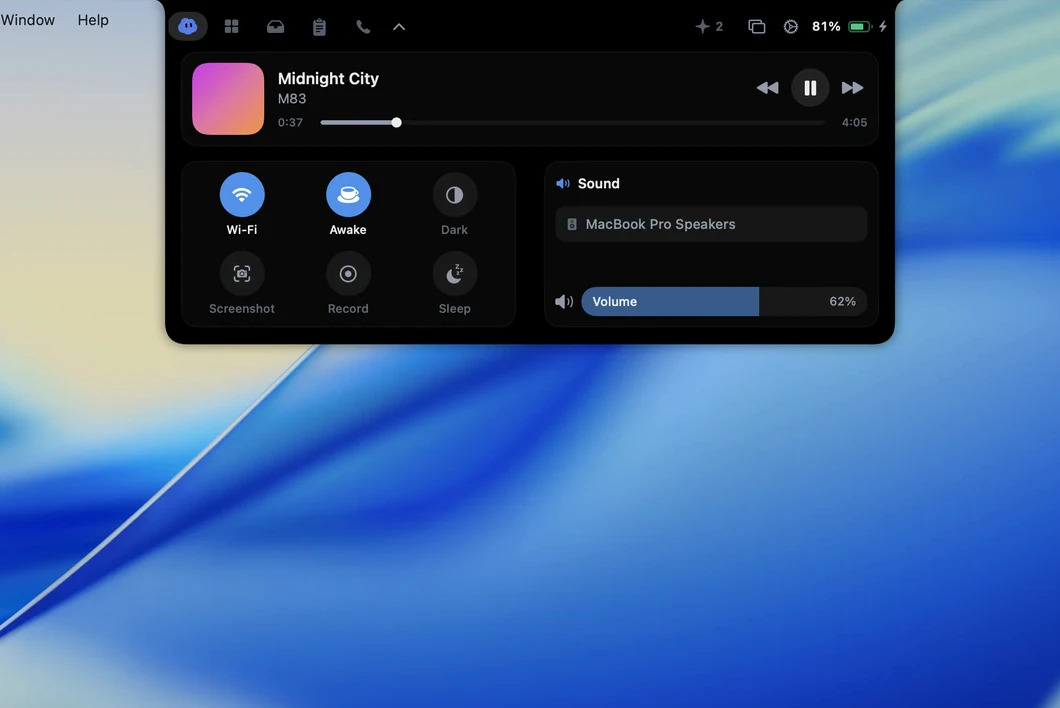
What’s playing, without switching apps
The artwork, the song and the artist, with previous, play or pause, next and a timeline to drag. Click the artwork to open the player.
After you pause, the closed notch keeps the artwork for 15 minutes, and the card remembers what you last played for about a day.
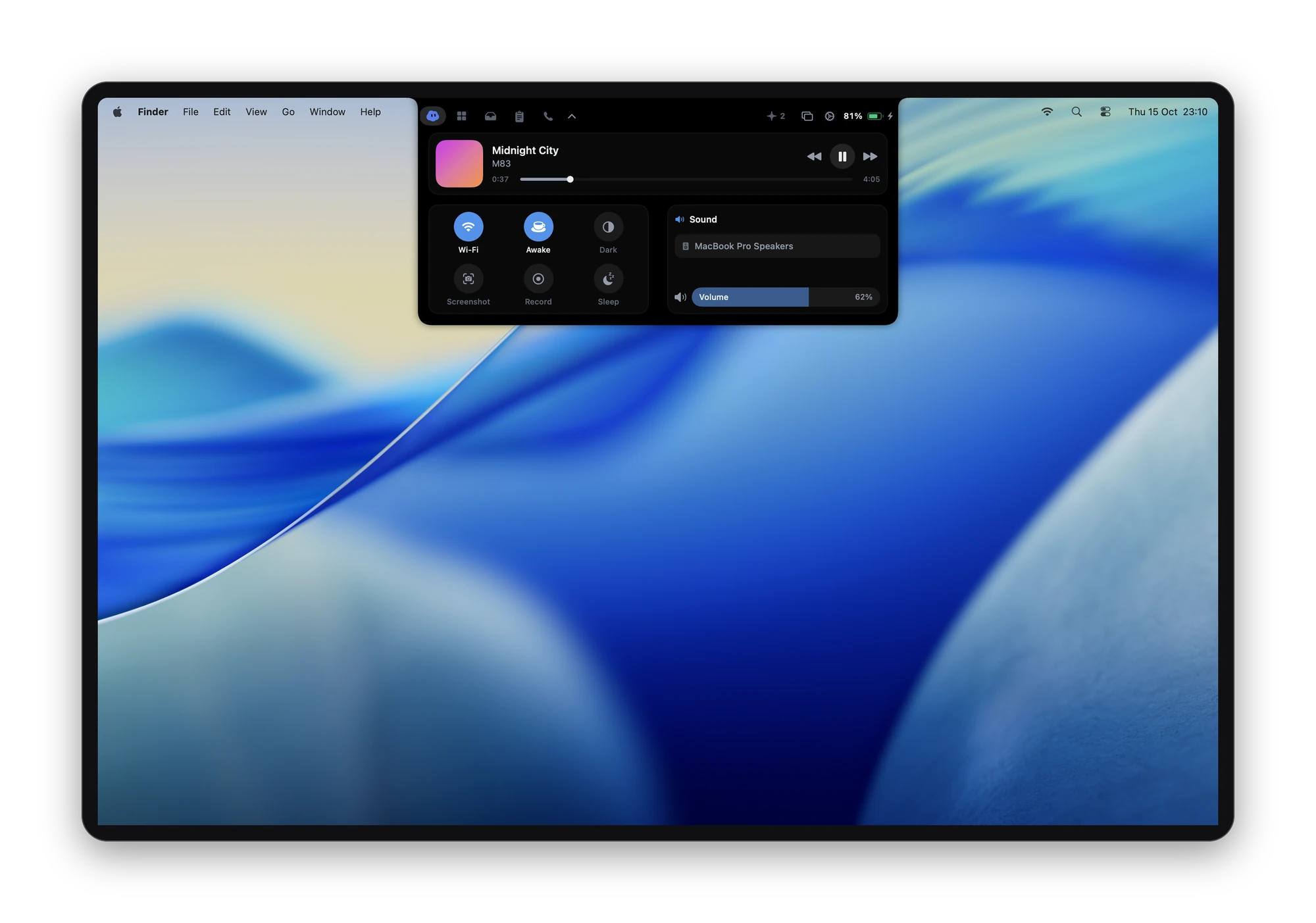
Pick where sound plays
The Sound card lists the outputs your Mac has right now, like the speakers or your AirPods. One click switches. The volume and mute sit right under it.
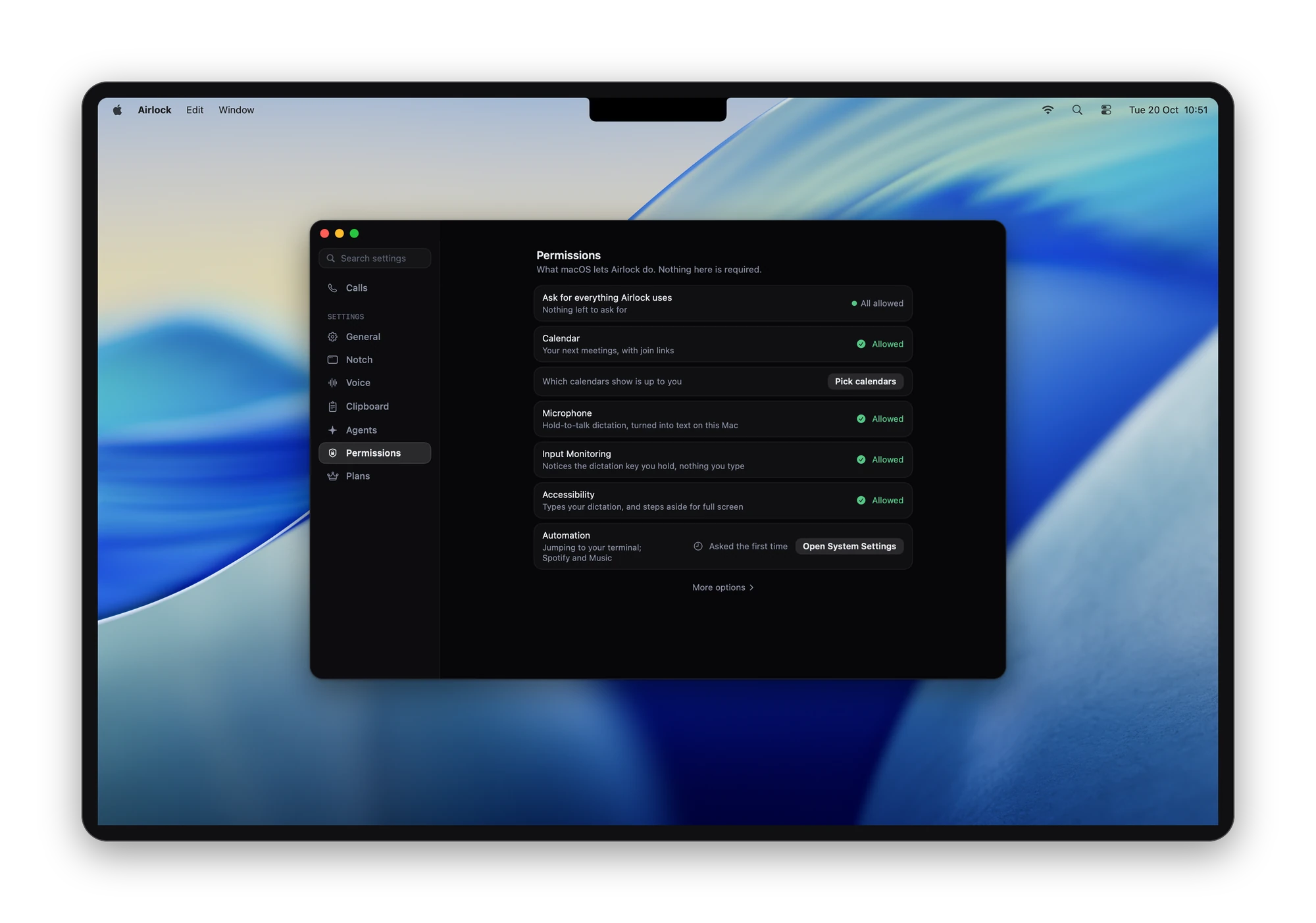
It asks once, and never starts a player
Airlock asks for permission to control Spotify and Music the first time. If Spotify or Music isn’t open, Airlock leaves it closed.
Per-app volume may also ask for access to system audio.
A loud tab, a quiet call
Turn on per-app volume in Settings and every app playing gets its own level and mute. Turn a browser tab down without touching the music or the call.
You switch it on
Per-app volume is off until you turn it on in Settings › The notch.
The top is normal
The top of each slider is the app’s own full volume, so nothing goes louder than it already could.
Four at a time
Up to four apps show at a time, with a count for the rest.
The details
Spotify and Apple Music
Sound from browsers and other apps shows up in per-app volume instead.
From Spotify
Loaded from Spotify’s own servers. With Apple Music, the card shows the Music app’s icon.
Multi-Output Devices
Per-app volume doesn’t work with a Multi-Output Device.
All in one place
Media and Sound are on to start with. Everything is in Settings › The notch.
Every plan, Free included
All of Media & sound is in Free, with no card and no account.
Wave follows the audio
Turn it on and the music bars in the closed notch move with the real sound.
What you listen to stays on your Mac
Airlock asks Spotify and Music what’s playing, right on your Mac.
- Stays on your Mac: what you’re listening to, your volume, your level for each app, and where sound plays.
- Leaves your Mac: only Spotify’s album art, which loads from Spotify’s own servers. Switch Media off and it stops.
Questions
Does it work with YouTube or other players?
The media card shows Spotify and Apple Music. Sound from your browser and other apps appears in per-app volume, where you can set its level or mute it.
Can I shuffle or like a song?
Not from the notch. The card has previous, play or pause, next and the timeline. Click the artwork to open the player for the rest.
Can I change where sound plays?
Yes. The output picker lists the sound outputs your Mac has right now, and switches with a click.
Is per-app volume on straight away?
No, it’s off until you turn it on in Settings, under The notch. So is “Wave follows the audio”, which makes the bars move with the real sound.
Can I make an app louder than its normal volume?
No. The top of each slider is the app’s own full volume.
More of the notch
Your next meeting, one click to join.
The notes are written when the call ends.
Hold ⌃, talk, and it’s typed.
Claude Code’s questions, answered from the notch.
Everything you copied, one search away.
Park a file mid-drag.
How hard it’s working, and who’s to blame.
No sleep while you need it.